
No-code product tours that guide new users to their first win
Increase activation by getting the users who'd otherwise drop off to value.
14-day free trial. No credit card required.
Guide users through any task, screen, or update
A Workflow tour walks users through a task as they do it. An Explainer tour shows them around, with no task to complete.
Onboard new users
Walk a first-time user through the steps that get them to their first win.
Show new users around
Point out where the key areas live so a newcomer knows where to find things.
Walk through a complex task
Guide a user through a complex, occasional task, like setting up an integration or building a report.
Explain a confusing screen
Break down a dense screen so users understand what they're looking at.
Introduce a new feature
Bring existing users up to speed on a feature you just shipped.
Re-onboard after a redesign
Show longtime users what moved so the new layout still feels familiar.
Show each user the tour that fits them
A tour only lands if it's relevant to the person seeing it. Two levers control that relevance: branching the path each user takes, and segmenting who sees a tour at all.
Branching
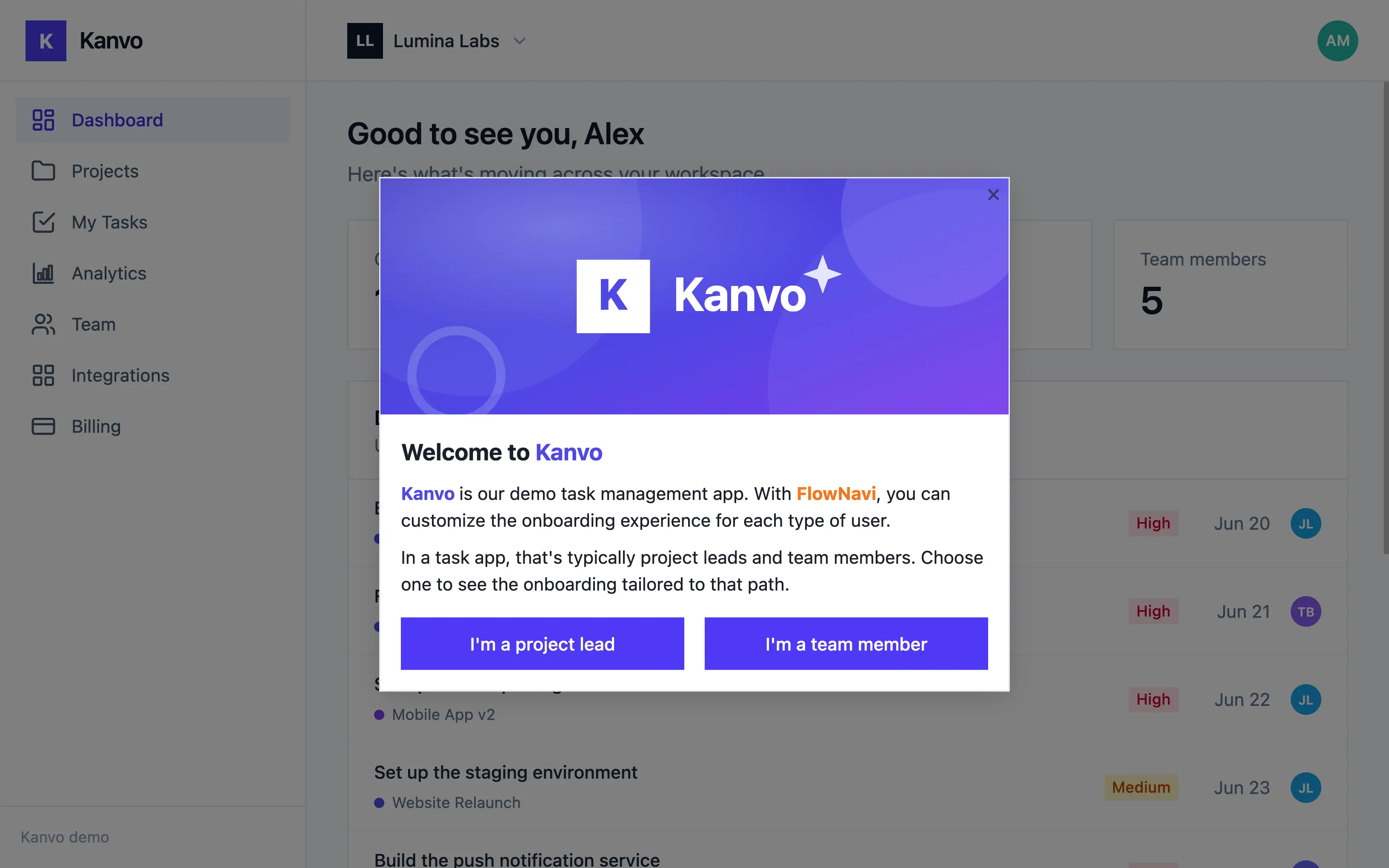
Let users tell you who they are
Each person picks the description that fits, and drops into the tour built for them.
Start with a simple question
Ask something like "What's your role?" or "What do you want to set up first?", and each answer launches its own tour.
As many paths as you need
Give every kind of user its own path, whether that's two, three or more.
Segmentation
Decide who sees each tour
Not every tour is for everyone. Show each one to exactly the users it's meant for, using what your product already knows about them.
By who they are
Target on attributes you already store: role, plan, signup date.
By what they've done
Show a tour only to users who haven't finished setup, or start the next one the moment they finish the last.
Watch a tour adapt to the user
Pick a role below and watch the tour change to match. Each user picks their role, and the tour changes to match.
Branching is included on every FlowNavi plan.
See the exact step where users drop off
FlowNavi reports how far each user gets through a tour, with a completion rate for every step.
Completion per step
Each step shows how many users finished it, as a count and a percent.
Spot the leak
A sharp drop between two steps shows where users give up, a clear signal of which step to fix.
Prove it's working
Watch completion climb as you improve a tour, and prove your changes are moving the needle.
Step Completion
Per tour step, among users who saw this tour.
Full-featured product adoption, from $79 a month.
Pricing scales with your active users. All plans include a 14-day free trial. No credit card required.
Starter
billed annually
For small teams getting started, with up to 1,000 monthly active users.
- Up to 1,000 MAU
- Unlimited guides
- Branching & targeting
- Analytics
- Custom branding
Growth
billed annually
- Everything in Starter
- Hands-on onboarding & migration support
- Dedicated customer success manager
Enterprise
tailored to your needs
For teams that need advanced security and compliance.
- Everything in Growth
- Advanced security features
- Priority support
Ready to guide your users to their first win?
Start your free trial today. No credit card required.