
User onboarding software that gets new users to value
Guide new signups to value with no-code in-app guidance like product tours and checklists.
14-day free trial. No credit card required.
Product tours
Guide new users through their first task, end to end
A product tour focuses a new user on the one path to their first win, walking them through it. Each step points to the next action and waits for them to act.
Walks the full workflow across pages
A tour carries a user across several screens without losing the thread, from a blank start to the finished outcome.
Picks up where it was interrupted
If someone closes the app mid-tour, it resumes on the right step next time.
Onboarding checklists
Turn setup into a list users want to finish
A checklist gives new users the full picture of what getting set up takes, and a finish line to work toward at their own pace.
Ticks off steps as users do them
Each item completes the moment the user performs the action in your product.
Marks shared steps done for the whole team
Mark a step like "invite your team" as a one-time company task, and it counts as done for everyone the moment one person completes it.
Send each new user down the path built for their role
Start by asking your users who they are, then show them the onboarding path tailored to them. Pick a role below and watch it adapt. Each user picks their role, and the flow adapts to match.
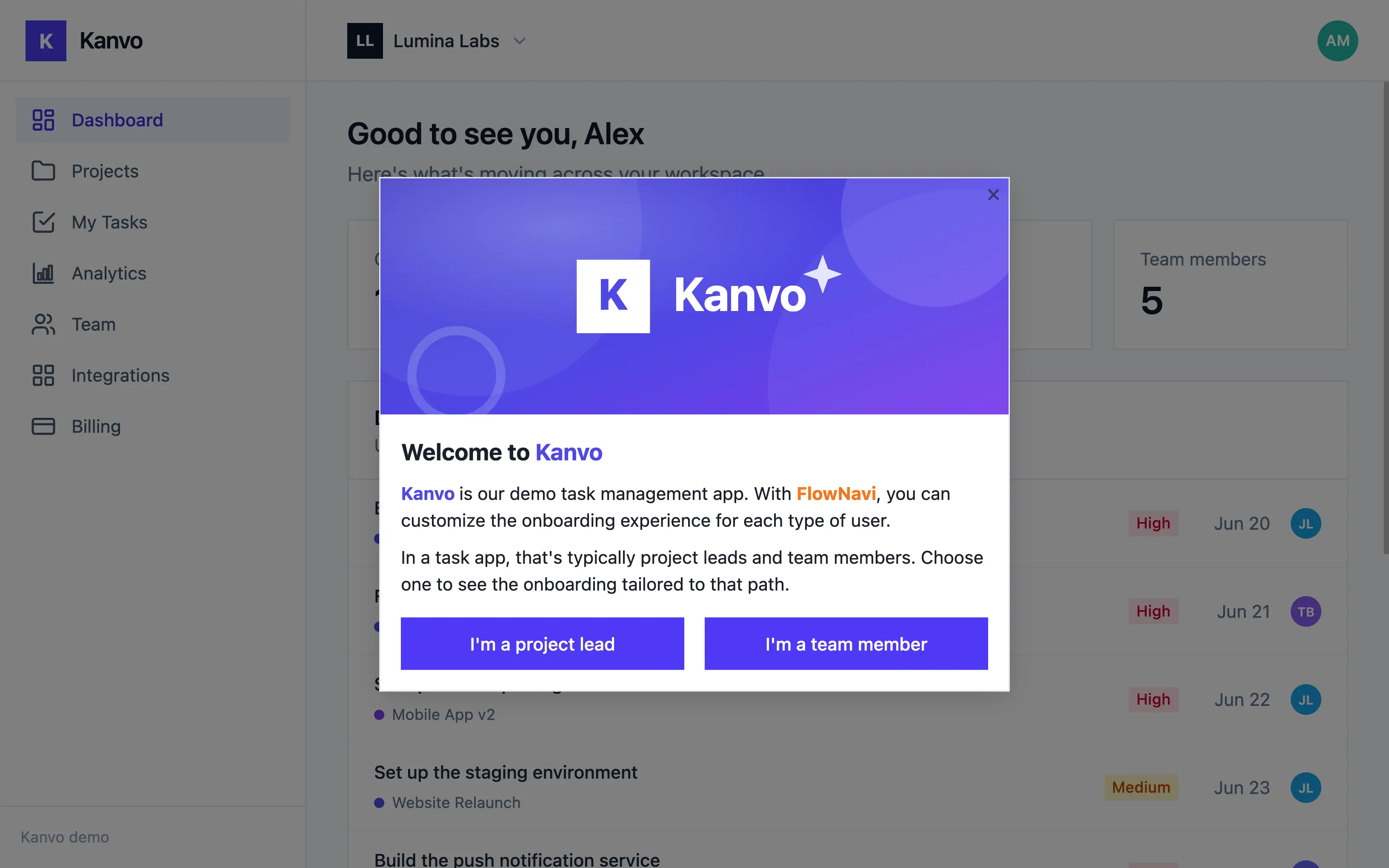
Personalized paths are included on every FlowNavi plan.
See the exact step where new users stall
Watch how far each new user makes it through onboarding, and how many clear each step along the way.
Completion for every step
Each onboarding step shows how many new users finished it, as a count and a percent.
Spot the leak
A sharp drop between two steps shows exactly where new users give up, so you know which step to fix.
Measure the lift
Every change shows up in the completion rate, so you can tell what moved activation and what didn't.
Step Completion
Per tour step, among users who saw this tour.
Keep guiding your users past their first win
The reason new users stall, value they can't find on their own, doesn't disappear once they're activated. It reappears in new forms.
Highlight the features your users never touch
Use hotspots to quietly surface a feature in context, helping them discover value they keep missing.
Announce what you just shipped
Use in-app announcements to put the update in front of users, helping them adopt what otherwise goes unnoticed.
Catch frustrated users before you lose them
Use in-app surveys to gather feedback in the moment, helping you act before a small frustration becomes a cancellation.
User onboarding & product adoption, from $79 a month
Every feature on every plan. Start with a 14-day free trial, no credit card required.
Starter
billed quarterly
For small teams getting started, with up to 1,000 monthly active users.
- Up to 1,000 MAU
- Unlimited guides
- Branching & targeting
- Analytics
- Custom branding
Growth
billed quarterly
- Everything in Starter
- Hands-on onboarding & migration support
- Dedicated customer success manager
Enterprise
tailored to your needs
For teams that need advanced security and compliance.
- Everything in Growth
- Advanced security features
- Priority support
Frequently asked questions
Do I need a developer to use FlowNavi?
For one step, briefly: someone needs to paste the FlowNavi snippet into your app's code. After that, no developer is involved: you build, edit, and publish guides yourself from our Chrome extension, without touching the codebase again.
How long does it take to get live?
Most teams have their first guide live the same day. Building guides is entirely no-code in our Chrome extension; the only technical step is pasting one snippet into your app.
Will FlowNavi work with my app?
If it's a web app, yes. FlowNavi runs from a single JavaScript snippet, so it works regardless of your framework. React, Vue, Angular, or server-rendered pages all work the same way. However, FlowNavi is web-only, we do not support native mobile apps.
Is every feature really included on every plan?
Yes, FlowNavi does not gate features behind higher plans or sell them as add-ons. Plans differ only by how many monthly active users your app has. The only thing reserved for the Enterprise plan is advanced security features like SSO, RBAC, and audit logs.
What counts as a monthly active user (MAU)?
A MAU is any unique user identified via the FlowNavi snippet during a calendar month, counted by the user ID you pass in when you initialize FlowNavi. Users who don't trigger any guides still count if they're identified.
Ready to onboard your users?
Start your free trial today. No credit card required.