
In-app guides to take your users from signup to power user
No-code tours, checklists, tooltips, in-app announcements, and surveys. Every feature on every plan.
14-day free trial. No credit card required.
Every stage of the user journey needs a different guide
What gets a brand-new user to their first win isn't what brings a quiet one back. FlowNavi gives you guides for activation, adoption, and retention, all from one no-code toolkit.
Activation
Get users to their first win
Product tours and checklists, personalized to each user, get first-time users to value before they lose momentum.
Product Tours
Guide first-timers down the one path that leads to value
Your product can do a lot, which is exactly why new users stall. A product tour focuses them on the single path that gets to a first win, walking them through it step by step.
Walks the full workflow across pages
A tour can carry a user across several screens of your app without losing the thread, from a blank start to the finished outcome.
Picks up where it was interrupted
If someone closes the app mid-tour, it resumes on the right step next time.
Onboarding Checklists
Give new users a finish line for getting set up
Not everyone wants to be walked through every step at once. A checklist gives users the full picture of what getting set up takes and lets them work through it at their own pace.
Ticks off steps as users do them
Steps complete automatically the moment the user performs the action in your product.
Marks shared steps done for the whole team
Some setup steps only need to happen once for the whole account. Mark an item like "invite your team" as a one-time company task, and it counts as done for everyone the moment one person completes it.
Personalize the onboarding experience for each user
Personalized paths send each user down the onboarding made for their role. Pick a role below and see it adapt. They choose who they are, and the tour and checklist adjust to match.
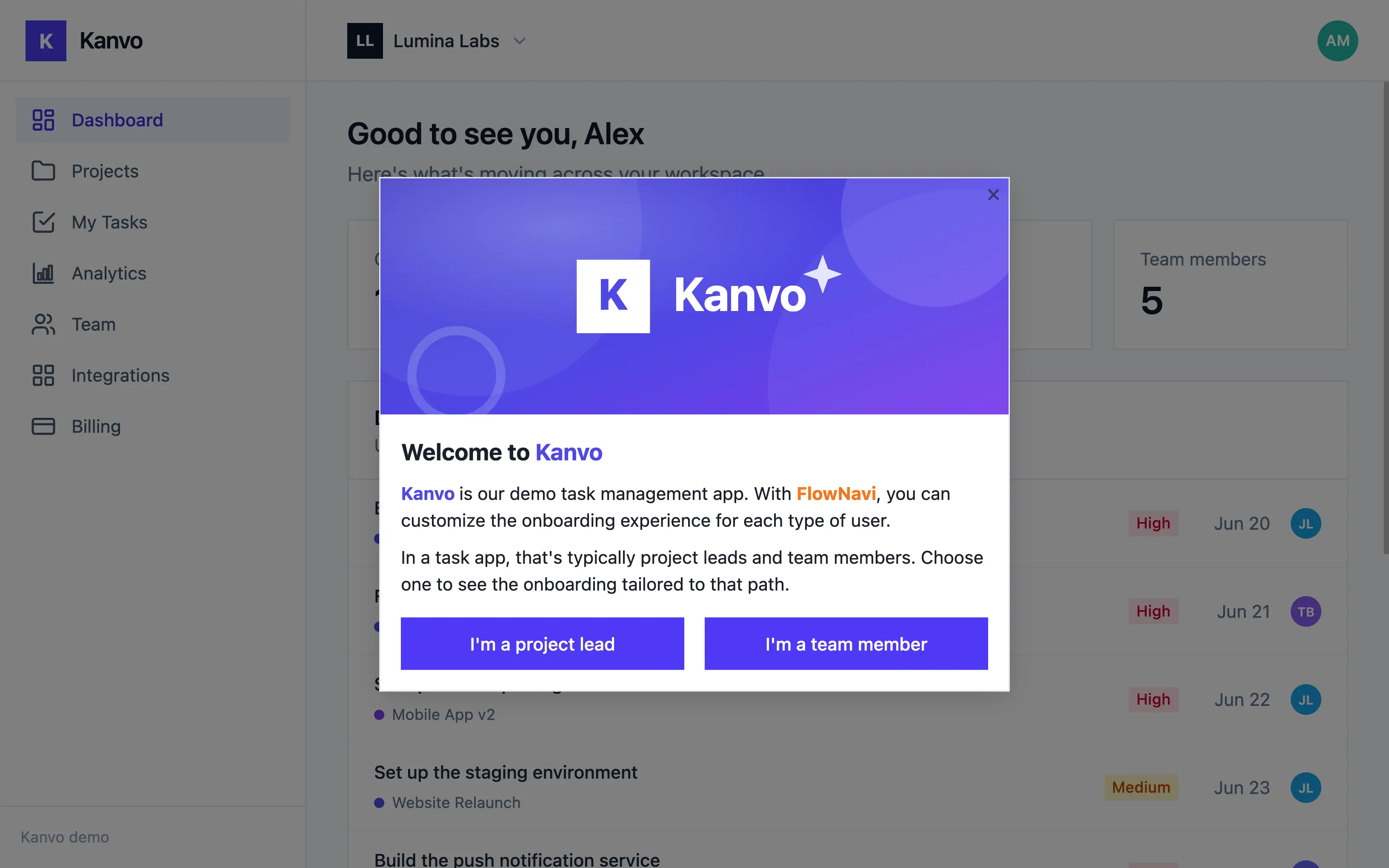
Personalized paths are included on every FlowNavi plan.
Adoption
Help your users discover more of what you offer
Show users what's new with in-app announcements, and clear up questions in place with tooltips.
In-app announcements
Give every update the right level of attention
A small addition and a flagship launch shouldn't interrupt users the same way. Hotspots, banners and modals give you the flexibility to choose the right intensity for each update.
Least intrusive
Most intrusive
Hotspots
Draw attention to a feature without interrupting your users
A hotspot is a subtle, pulsing cue that hints there's more to discover. It puts a gentle spotlight on what's new and lets interest do the rest.
Holds more than a label
It can surface text, images, videos, links, and buttons.
Built for quiet discovery
Best for small additions, where a modal would be too much.
Banners
Put a message in front of everyone
Some messages need to stay visible for a while, not flash once and vanish. A banner holds a launch, update, or promo in view for as long as it's relevant.
Persists across pages
Stays visible until the user dismisses it or its scheduled run ends.
Best for broad news
Feature launches, new integrations, or promos.
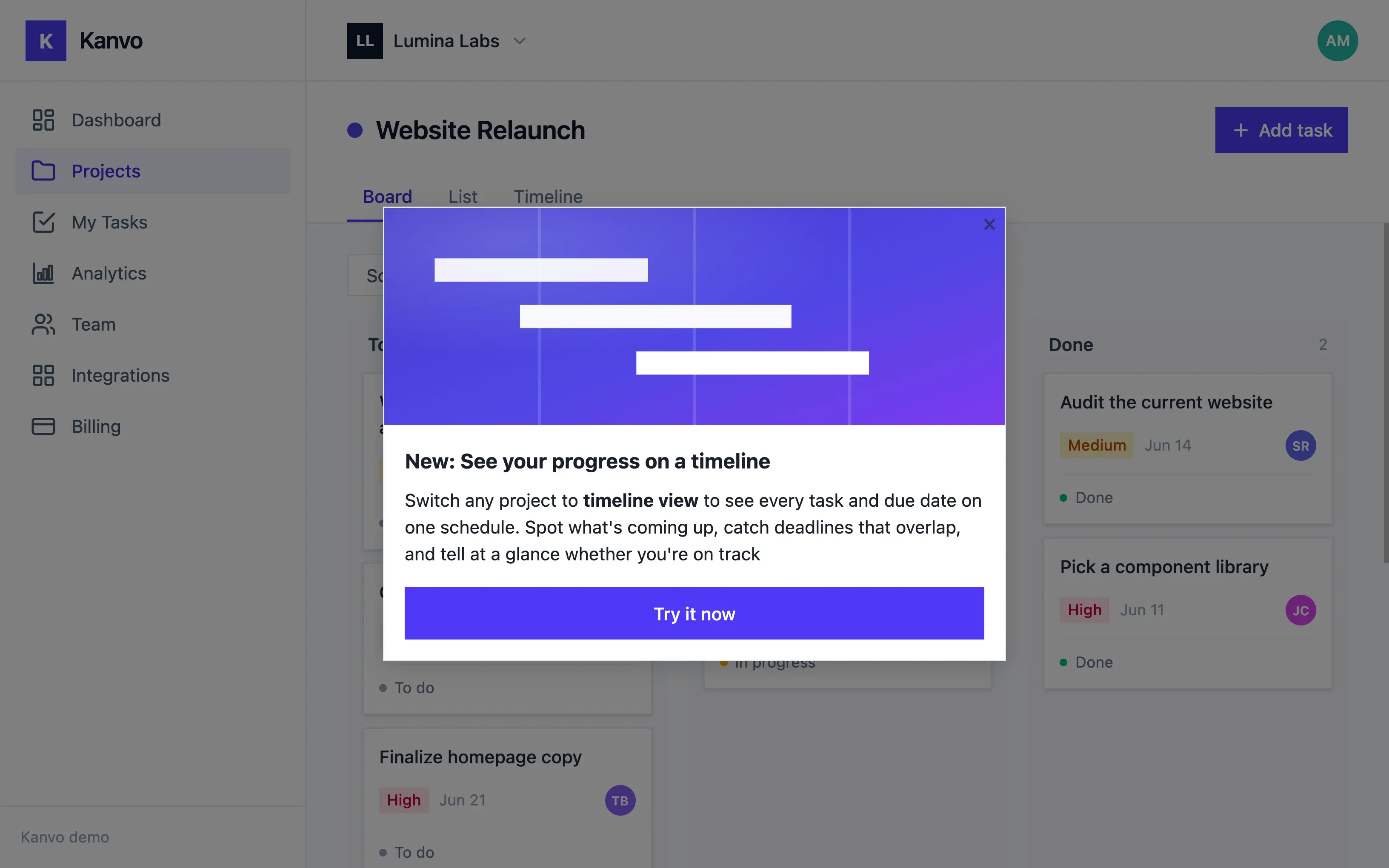
Modals
Make your biggest updates impossible to miss
Some news deserves full attention. A modal is shown front and center and requires the user to respond.
Pairs a visual with a call to action
An image or video alongside buttons users can act on.
Best for big moments
Flagship launches, major redesigns, or must-read notices.
Tooltips
Answer "what does this do?" right where users ask it
When a field, setting, or term isn't obvious, a tooltip offers the explanation in place. Users get the detail they need and stay in their flow, instead of digging through docs or filing a ticket.
Always there for reference
Unlike a one-time tour, it's there every time the question comes up again.
Carries more than a sentence
Add an image or video when words alone won't do.
Retention
Turn active users into long-term customers
Catch churn risk early with in-app surveys, then act on what you hear before users drift off for good.
NPS
Measure how users feel over time
NPS gives you one comparable score quarter over quarter, so you can see the trend and catch a dip before it reaches renewals.
Benchmark your product against itself
The same standardized question every cycle gives you directly comparable scores, so you can tell whether what you shipped moved loyalty up or down.
See who'll champion you and who's slipping
Every response sorts users into promoters, passives, and detractors, so your advocates and your flight risks both surface as groups you can act on.
Custom surveys
Get the why behind the number
Custom questions tell you what a score can't: what's confusing, what's missing, and what would make someone stay.
Choose the question format
A points or star rating from 1 to 5, single choice, multiple choice, or open text, whichever fits what you're asking.
Score a feature and watch it move
A 1-to-5 rating on a single feature gives you a number you can trend as you keep improving it.
Catch churn signals while you can still act on them
Run surveys in-app, segmented by who a user is or what they did or didn't do. Take one yourself in the demo below.
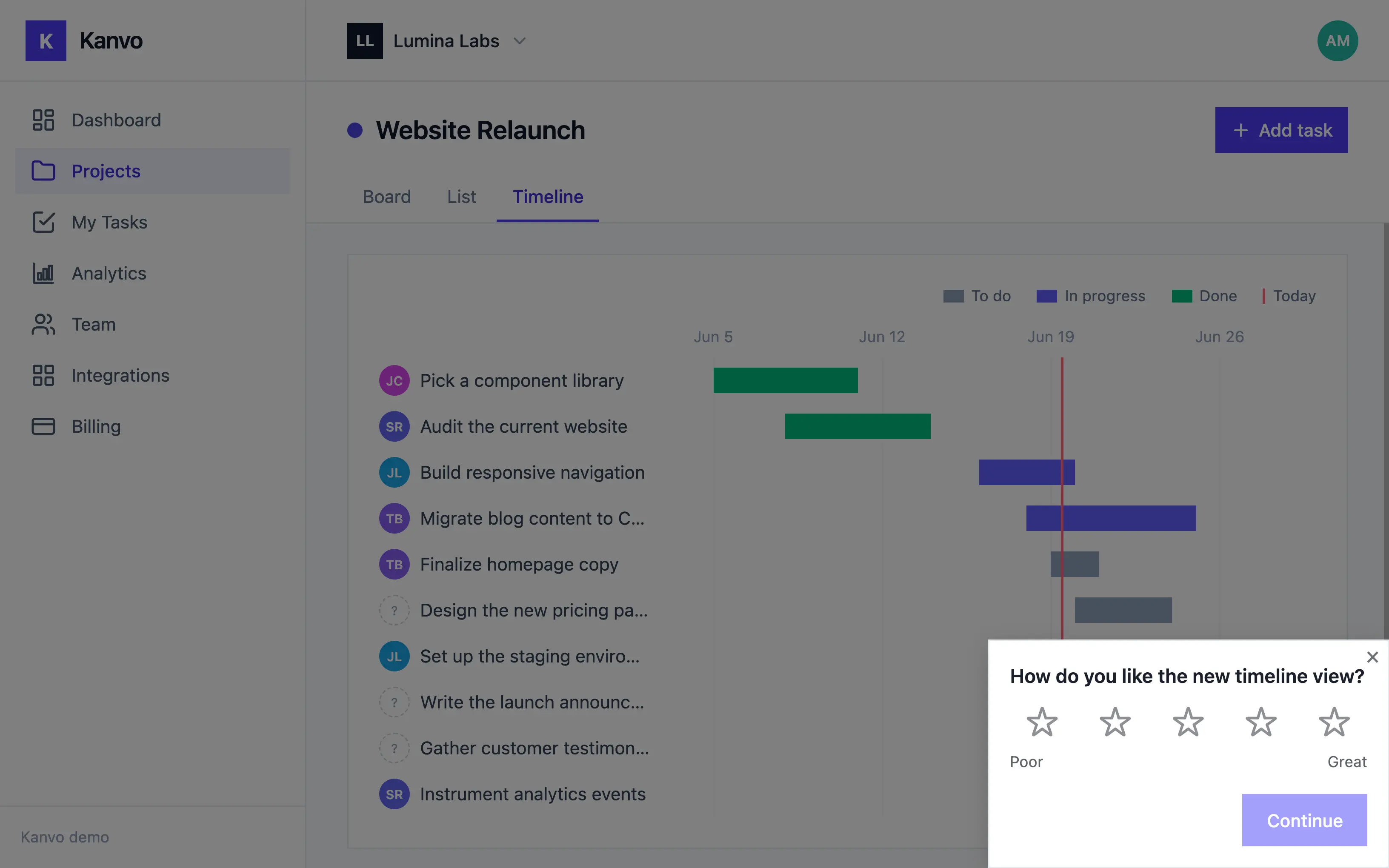
All survey types are included on every FlowNavi plan.
Show your users their feedback went somewhere
Feedback only builds loyalty when people see it lead somewhere. When responses from one segment keep raising the same issue, you know what to fix. Ship the change, then announce it to that same segment, so the people who spoke up are the first to see you acted.
You spot a pattern
Responses from one segment keep raising the same issue or request.
You announce the change
Send a targeted announcement to that same segment and let the people who raised the issue hear about it.
You fix the issue
Your team ships the change.
You spot a pattern
Responses from one segment keep raising the same issue or request.
You fix the issue
Your team ships the change.
You announce the change
Send a targeted announcement to that same segment and let the people who raised the issue hear about it.
Full-featured product adoption, from $79 a month.
Pricing scales with your active users. All plans include a 14-day free trial. No credit card required.
Starter
billed annually
For small teams getting started, with up to 1,000 monthly active users.
- Up to 1,000 MAU
- Unlimited guides
- Branching & targeting
- Analytics
- Custom branding
Growth
billed annually
- Everything in Starter
- Hands-on onboarding & migration support
- Dedicated customer success manager
Enterprise
tailored to your needs
For teams that need advanced security and compliance.
- Everything in Growth
- Advanced security features
- Priority support
Frequently asked questions
Do I need a developer to use FlowNavi?
For one step, briefly: someone needs to paste the FlowNavi snippet into your app's code. After that, no developer is involved: you build, edit, and publish guides yourself from our Chrome extension, without touching the codebase again.
Is every feature really included on every plan?
Yes, FlowNavi does not gate features behind higher plans or sell them as add-ons. Plans differ only by how many monthly active users your app has. The only thing reserved for the Enterprise plan is advanced security features like SSO, RBAC, and audit logs.
What counts as a monthly active user (MAU)?
A MAU is any unique user identified via the FlowNavi snippet during a calendar month, counted by the user ID you pass in when you initialize FlowNavi. Users who don't trigger any guides still count if they're identified.
How long does it take to get live?
Most teams have their first guide live the same day. Building guides is entirely no-code in our Chrome extension; the only technical step is pasting one snippet into your app.
What happens if I outgrow my plan?
Starter is capped at 1,000 MAU, so once you grow past that you'll move up to Growth, which scales with your usage. On Growth, our team reaches out to help move you to the right tier. We won't cut off access or add surprise charges automatically.
Will FlowNavi work with my app?
If it's a web app, yes. FlowNavi runs from a single JavaScript snippet, so it works regardless of your framework. React, Vue, Angular, or server-rendered pages all work the same way. However, FlowNavi is web-only, we do not support native mobile apps.
Why FlowNavi instead of building guides in-house or buying another tool?
Building it yourself gives you full ownership but turns every guide and edit into engineering time. Activating users, driving adoption, retaining them: most tools touch all three but focus on just one or two, and price the rest into higher plans. FlowNavi focuses on the whole customer journey, with every feature on every plan from day one: the ownership of building in-house, without the engineering cost.
Ready to turn new signups into loyal customers?
Start your free trial today. No credit card required.